Nairaland.com ranked as the most visited website in Nigeria

Nairaland.com is ranked as the most visited website in Nigeria and the 986th most visited website in the world... with daily page views of 5.85 million... Check it out @ Alexa.com
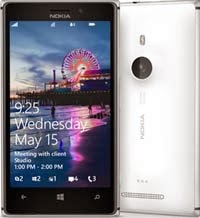 Now, all you have to do to qualify for the Airtel/Nokia phone upgrade programme, existing and new customers only need visit any Airtel shops with their old but functional device of any given brand and network(hmmm..), then pay an exchange fee of N23, 990(here's the catch), to own the amazing Nokia Lumia 520. I know it may sound like a rip-off, but you will be getting a discount of 4000; how about that?

Comments
Post a Comment